![CA-StateBar_Logo_Horizontal_White_LargeSeal_.png]](https://info.calbar.ca.gov/hs-fs/hubfs/CA-StateBar_Logo_Horizontal_White_LargeSeal_.png?height=50&name=CA-StateBar_Logo_Horizontal_White_LargeSeal_.png)
To submit a Test Center/Method Change Request for an examination, follow the instructions below.
- Log in to your Applicant Portal.
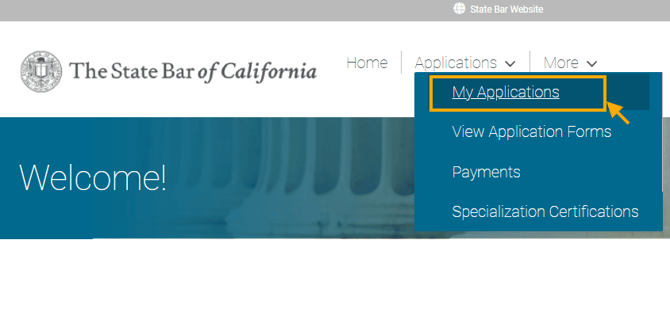
- Click on "Applications" from the menu options.
- Click on "My Applications."
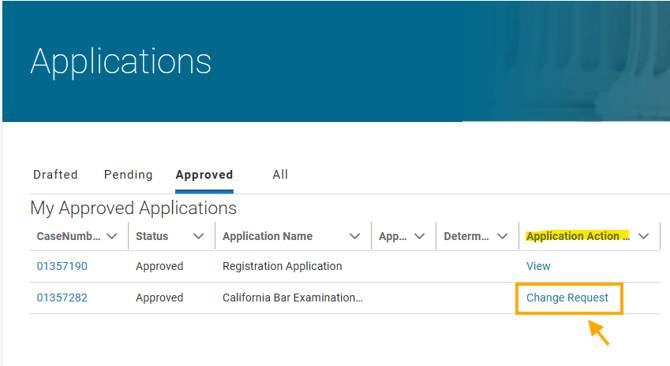
- Locate your examination application case record and click on the "Change Request" button under the "Application Action Link" column to launch a Test Center/Method Change Request.
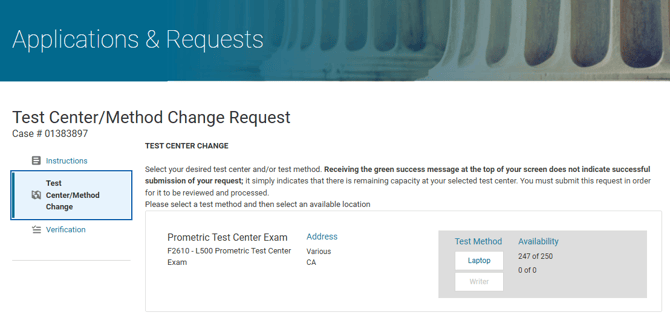
- Select your desired test center and/or method change.
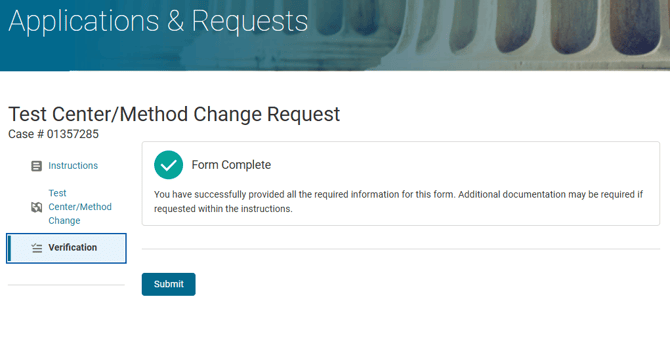
- Once you have completed all sections, go to the "Verification" screen and click the "Submit" button. You will be prompted to submit payment, if applicable, and sign a Declaration form.
- You will receive a confirmation email once you have successfully submitted the request.
Please note that approval of test center change requests depends on remaining available capacity and the remaining queue of change requests submitted prior to your submission for the same test center. If no seat is available at your requested test center, your request will remain active, but you won't hear from us after the initial email unless a seat becomes available.