![CA-StateBar_Logo_Horizontal_White_LargeSeal_.png]](https://info.calbar.ca.gov/hs-fs/hubfs/CA-StateBar_Logo_Horizontal_White_LargeSeal_.png?height=50&name=CA-StateBar_Logo_Horizontal_White_LargeSeal_.png)
Beginning in 2026, licensees must submit an annual civility oath declaration confirming adherence to the attorney oath. This requirement is completed as part of the Attorney Annual Renewal and must be submitted online through My State Bar Profile.
The 2026 Attorney Annual Renewal opens February 1, 2026. The deadline to comply is March 30, 2026.
You may watch the video below or follow the step-by-step instructions below to complete your civility oath declaration.
Step 1: Log in to My State Bar Profile
Go to My State Bar Profile and sign in using your bar number and password.
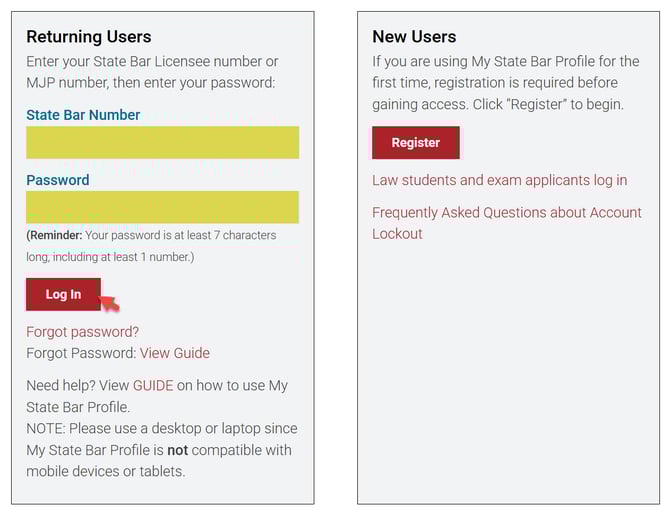
Forgot your password? View this guide. Do not remember your bar number? View this guide.
Step 2: Find the Civility Oath tile
On the My State Bar Profile Summary page, find the Civility Oath tile.
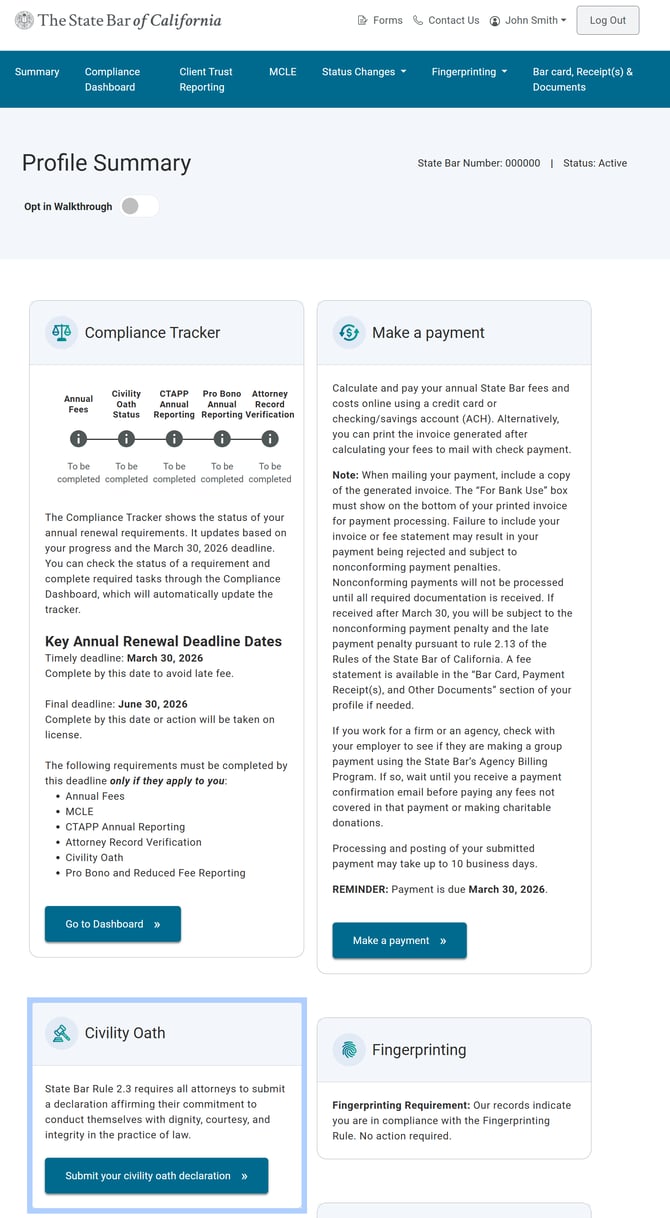
Step 3: Access the civility oath declaration
On Civility Oath tile, select "Submit your civility oath declaration" to start the submission process.
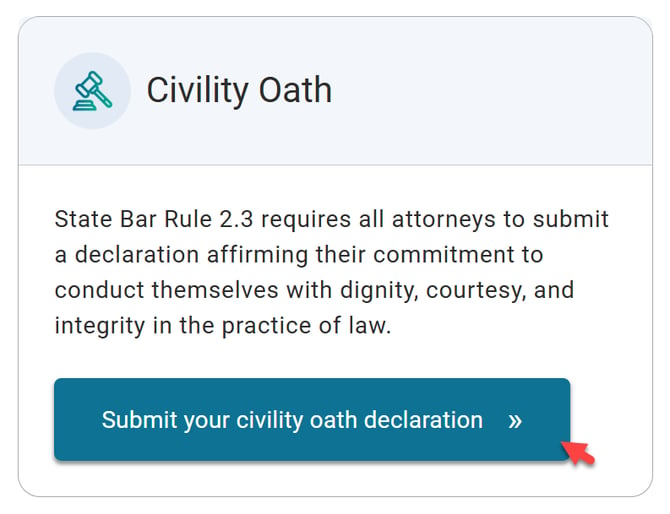
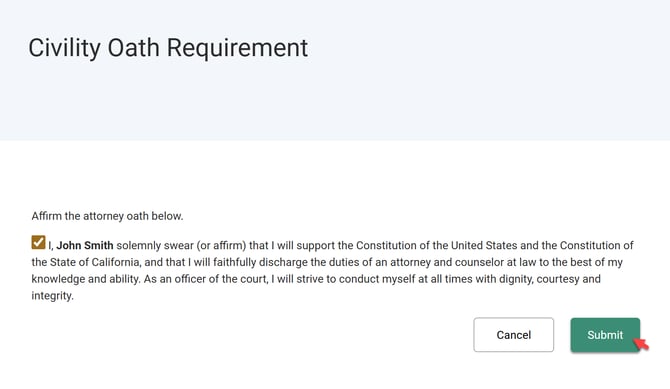
Step 4: Affirm the civility oath declaration
Review the attorney oath and check the box to affirm it. Once checked, the “Submit” button will be enabled. 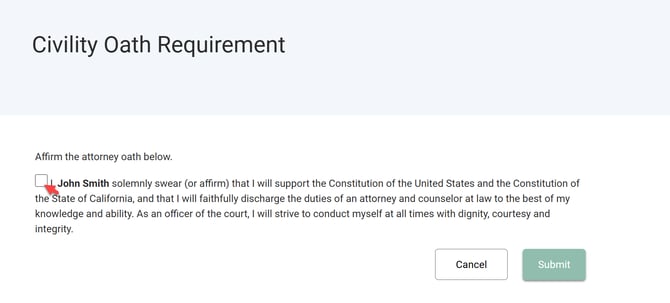
Step 5: Submit your civility oath declaration
Click “Submit” to complete your annual civility oath declaration.
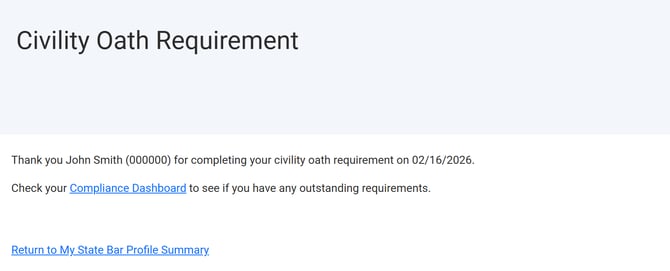
Step 6: Confirmation of submission
A confirmation page will display once your declaration has been successfully submitted.
Check your Compliance Dashboard to see if you have any outstanding requirements.
Questions? Contact us.