![CA-StateBar_Logo_Horizontal_White_LargeSeal_.png]](https://info.calbar.ca.gov/hs-fs/hubfs/CA-StateBar_Logo_Horizontal_White_LargeSeal_.png?height=50&name=CA-StateBar_Logo_Horizontal_White_LargeSeal_.png)
Beginning in 2026, licensees must report their pro bono and reduced fee legal services hours. This requirement is completed as part of the Attorney Annual Renewal and must be submitted online through My State Bar Profile.
The 2026 Attorney Annual Renewal opens February 1, 2026. The deadline to comply is March 30, 2026.
You may watch the video below or follow the step-by-step instructions below to complete your reporting.
Step 1: Log in to My State Bar Profile
Go to My State Bar Profile and sign in using your bar number and password.
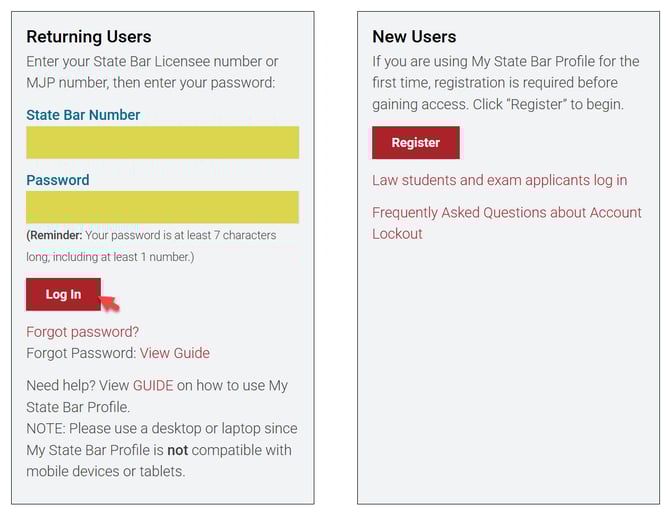
Forgot your password? View this guide. Do not remember your bar number? View this guide.
Step 2: Find the Pro Bono Hours tile
On the My State Bar Profile Summary page, find the Pro Bono Hours tile.
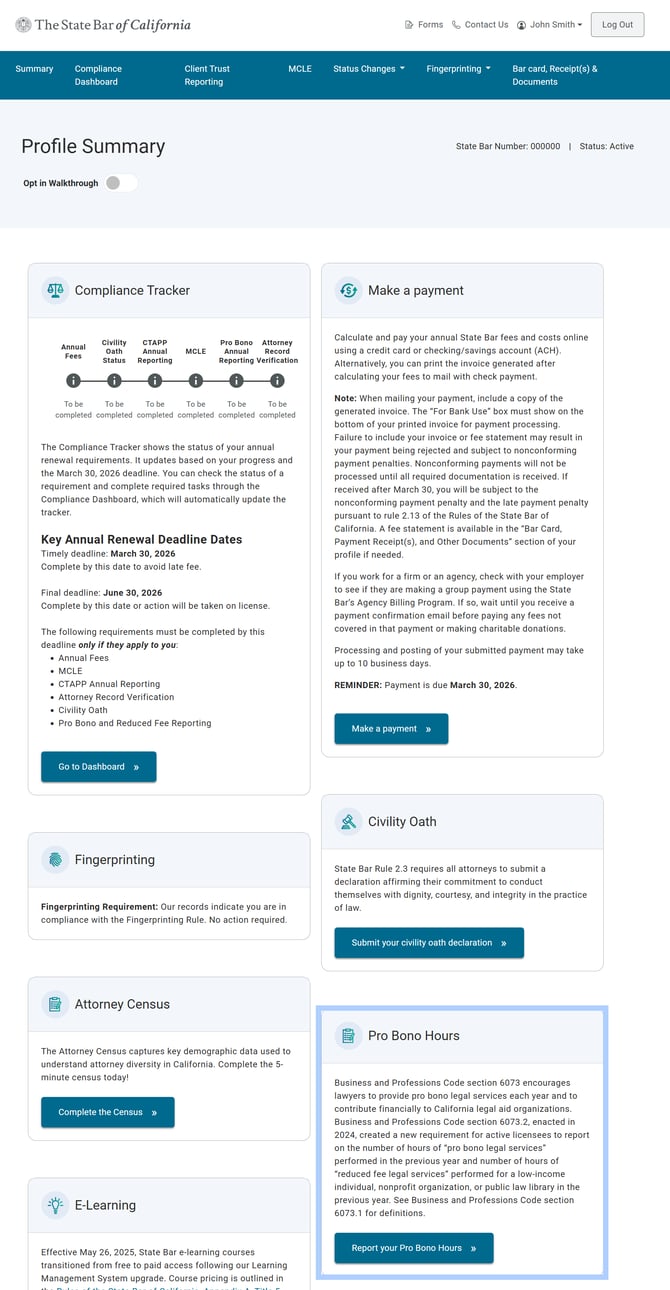
See Business and Professions Code § 6073.1 for additional information and to review the definitions for:
- Pro bono legal services
- Reduced fee legal services
Step 3: Access the pro bono reporting
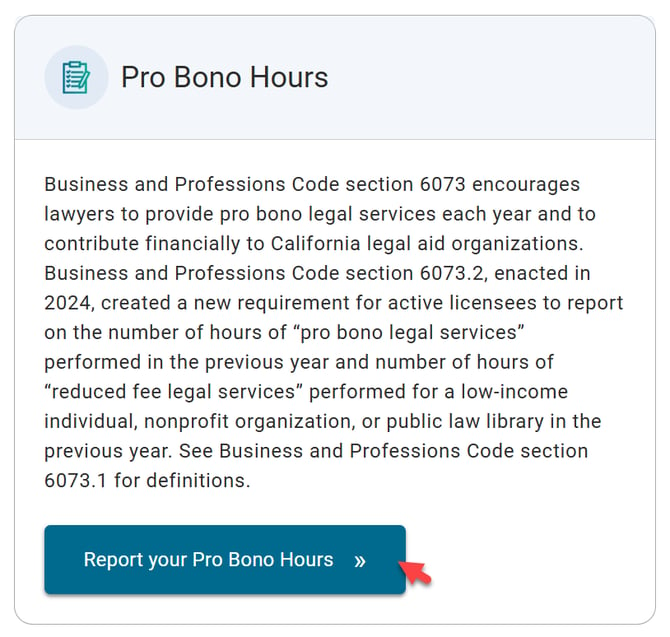
On Pro Bono Hours tile, select "Report your Pro Bono Hours" to start your reporting.
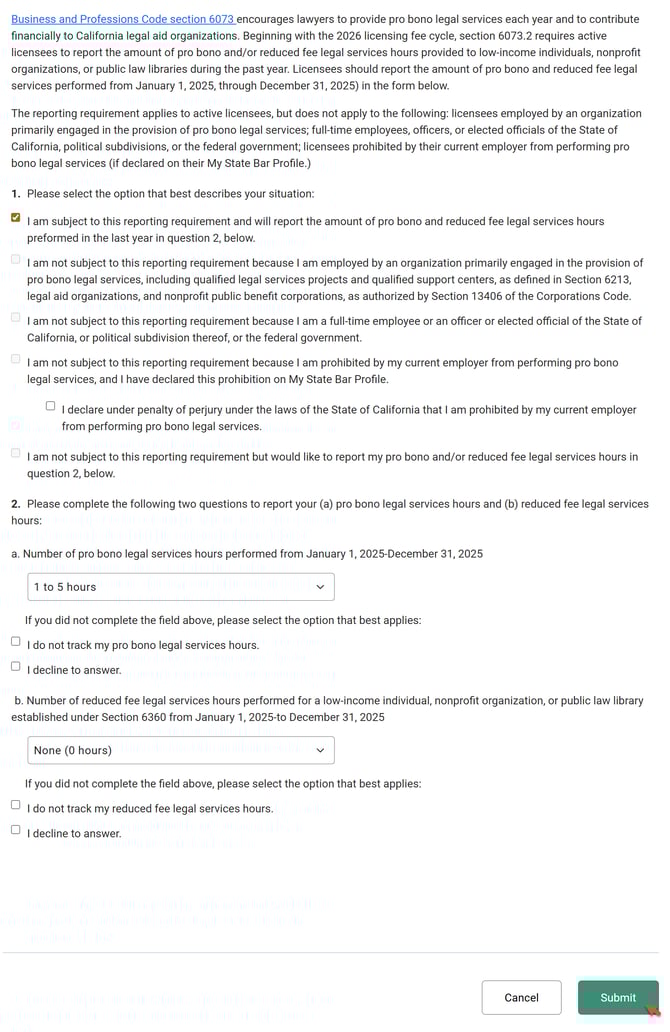
Step 4: Answer question 1
In Question 1, select the checkbox that best describes your situation.
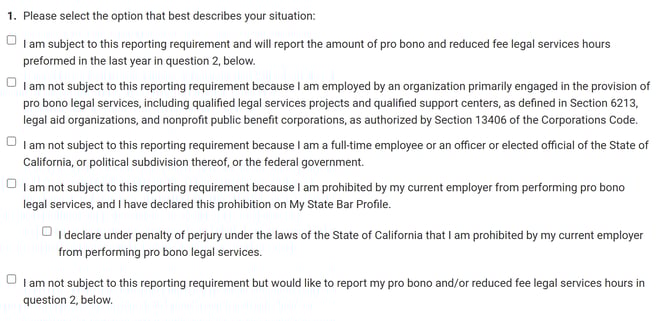
- If you are subject to the reporting requirement, select the first option.
- This will enable Questions 2(a) and 2(b).
- Options 2 through 5 in Question 1 will be disabled.
- If you are not subject to the reporting requirement, select the option that applies to you, such as:
- You work for a legal aid organization
- You are a government employee
- You are prohibited by your employer from providing pro bono services
- You may also select the fifth option to voluntarily report your hours.
If you select option 1 or option 5, you must complete Question 2.
Step 5: Answer question 2 (if applicable)
If applicable, complete Questions 2(a) and 2(b) to report your hours for the 2025 calendar year.
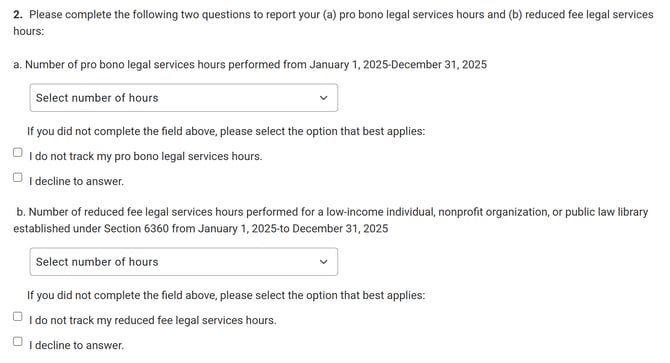
For each question:
- Use the dropdown menu to select the number of pro bono or reduced fee hours completed, or
- Select the applicable checkbox if:
- You did not track your hours
-
- You prefer not to answer
Selecting a checkbox will automatically clear any previously selected hours.
Step 6: Submit your reporting
Once all required information is complete, select "Submit" to submit your Pro Bono and Reduced Fee Legal Services reporting.
Step 7: Confirmation of submission
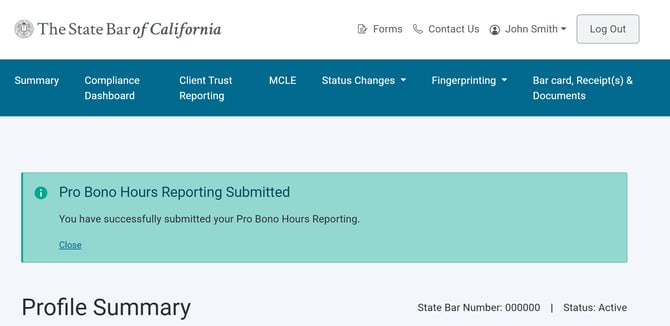
After submission, a confirmation message will appear on your My State Bar Profile Summary page.
Check your Compliance Dashboard to see if you have any outstanding requirements.
For additional resources, please refer to:
Questions? Please email ProgramDevelopment@calbar.ca.gov